
How it works
How to use Uberlist
Find opportunities, prepare your submissions, and keep your work organized.
See Uberlist in action
From finding the right opportunities to keeping track of what happens next, Uberlist keeps the workflow organized.
01Discover
Find the places worth submitting to.
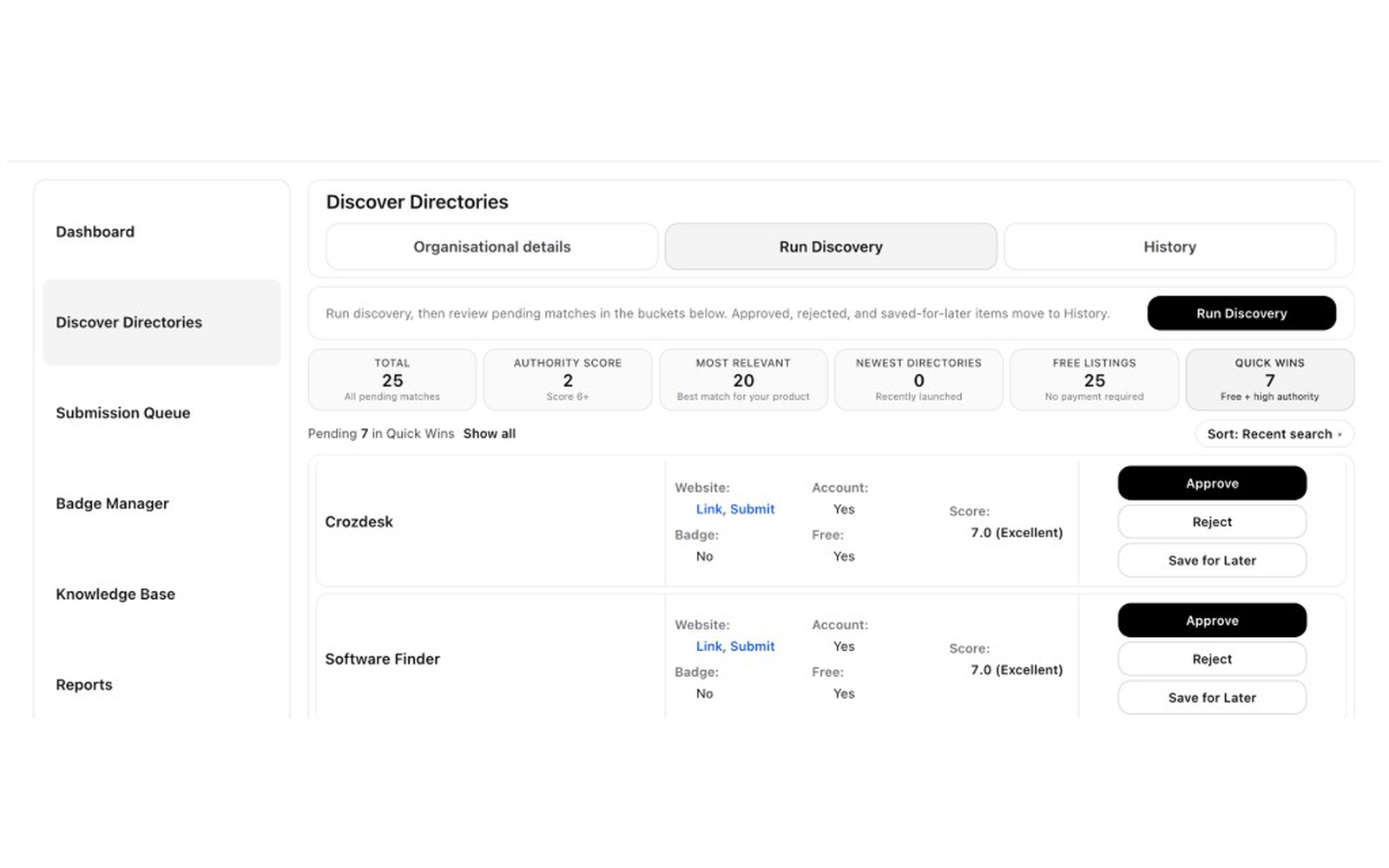
Uberlist surfaces relevant directories and submission opportunities so you can review them in one place.
02Evaluate
Choose what is worth pursuing.
Review the opportunity, check the available details, and decide whether to approve it, reject it, or save it for later.
- Approve
- Reject
- Save for Later
03Prepare
Prepare the submission before you send it.
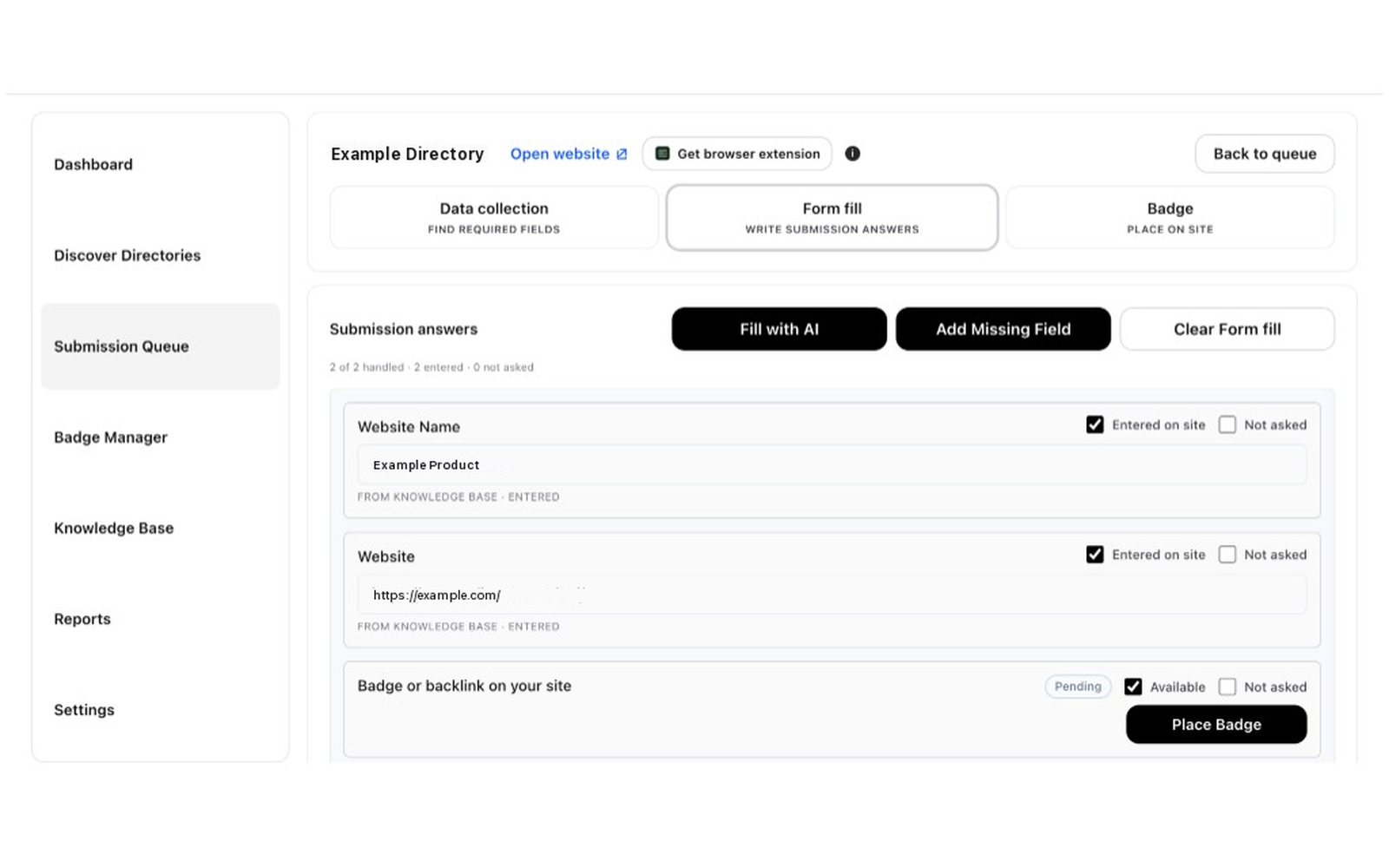
Uberlist helps prepare submission answers from saved information, so you can review the details before heading to the destination site.
04Review & Submit
You stay in control of the final submission.
Review the prepared information, open the destination website, and submit there yourself. Uberlist does not submit to third-party websites for you.
05Track
Keep every submission in view.
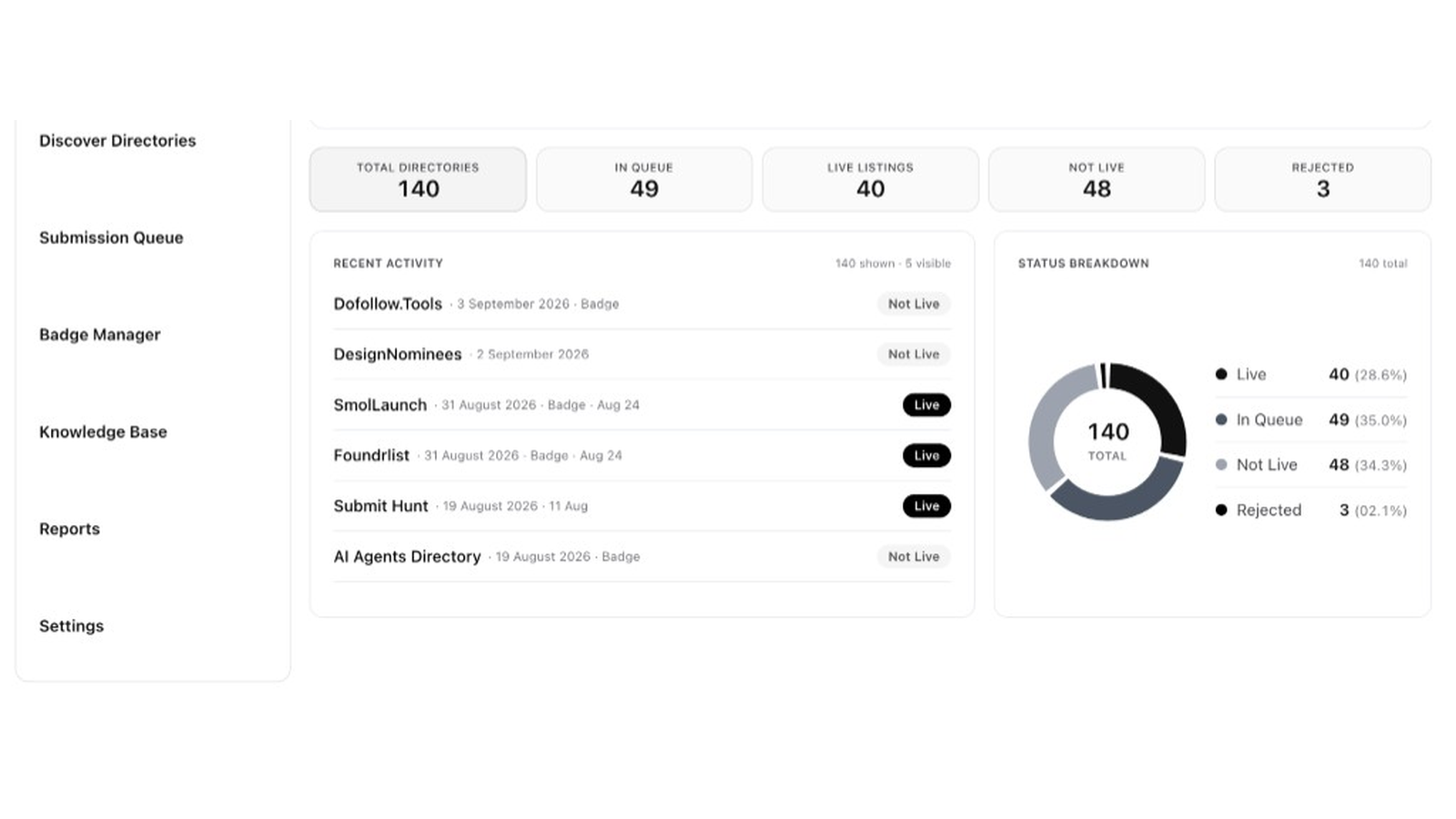
Track what is in queue, what is live, what is not live, and what still needs attention from one dashboard.

Fill supported forms faster
Use the Uberlist browser extension to fill supported submission forms with information saved in Uberlist. Review the fields on the destination website, then submit there yourself.
Start for free
Ready to find your next opportunities?
Uberlist is free to start. Sign in or create an account in the product when you are ready.